 Grow
Grow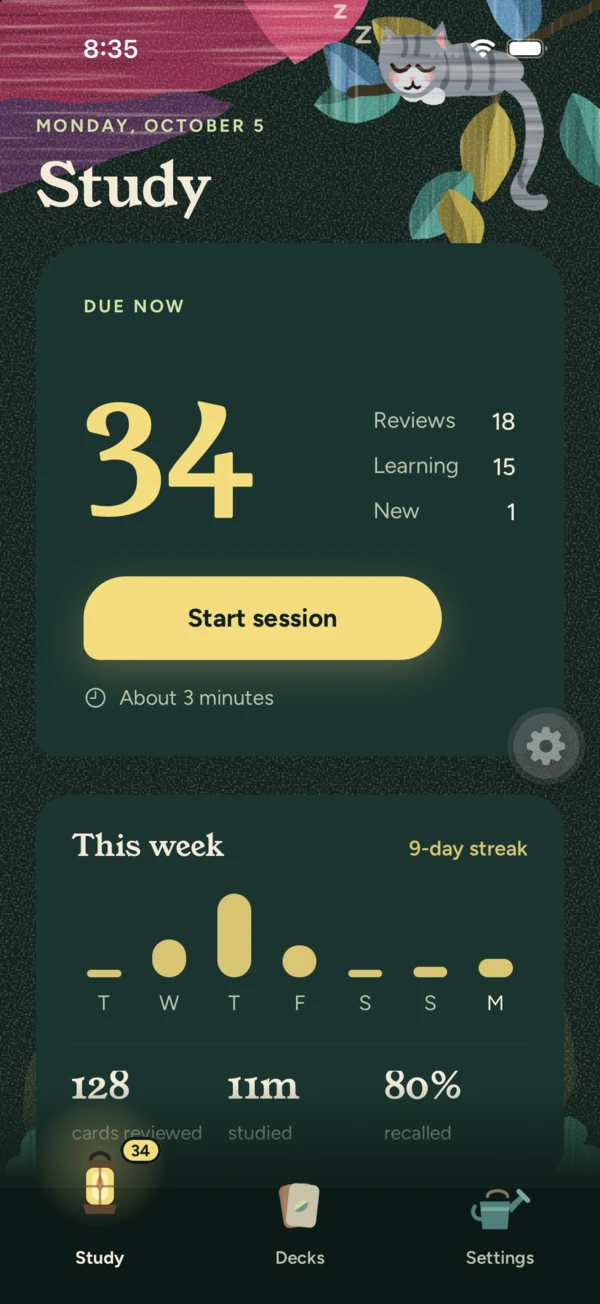
Flip. Recall. Rate.
Open the app, see what's due, press Start. Flip a card, think, then rate yourself Again, Hard, Good or Easy.
Each button shows exactly when you'll see the card next, so you always know what your answer means.
Grow is a flashcard app for people who study every day. It brings each card back right before you'd forget it, lets you review it the way that works for you, and keeps you company in a quiet, painted garden at night.
Open the app, see what's due, press Start. Flip a card, think, then rate yourself Again, Hard, Good or Easy.
Each button shows exactly when you'll see the card next, so you always know what your answer means.
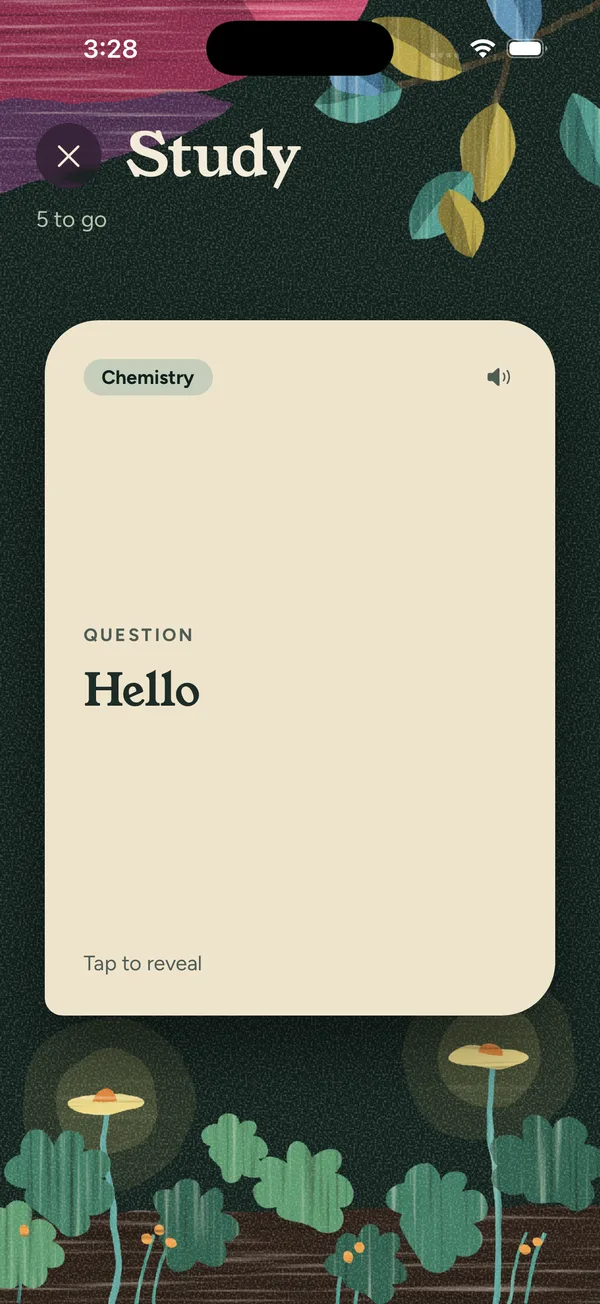
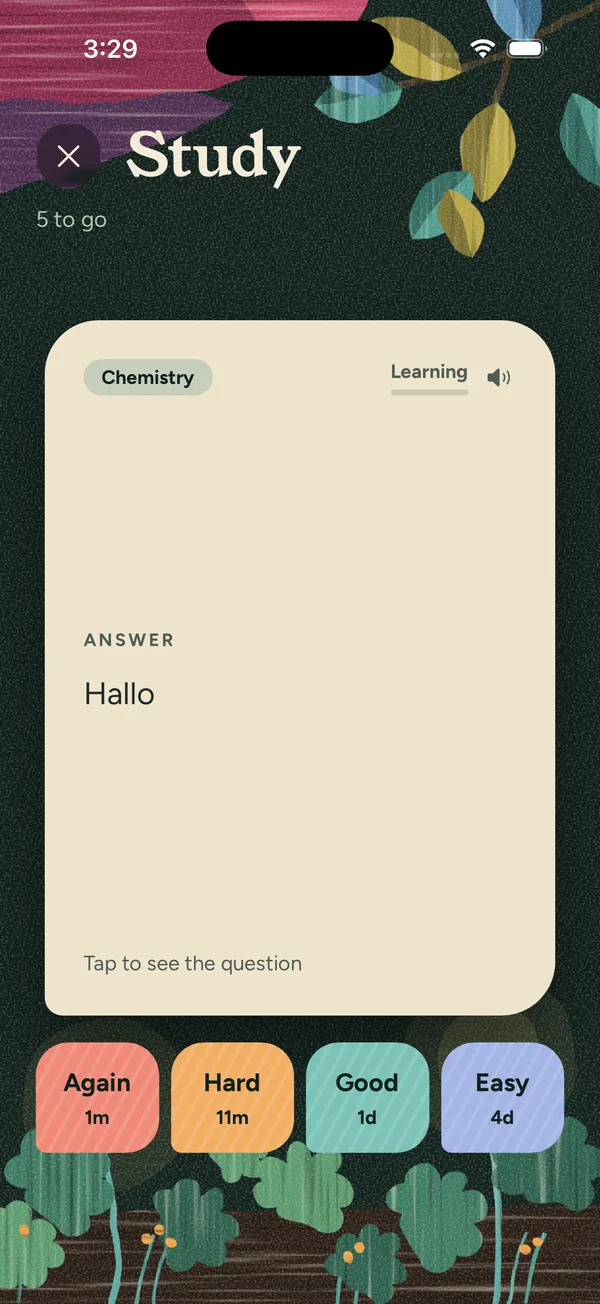
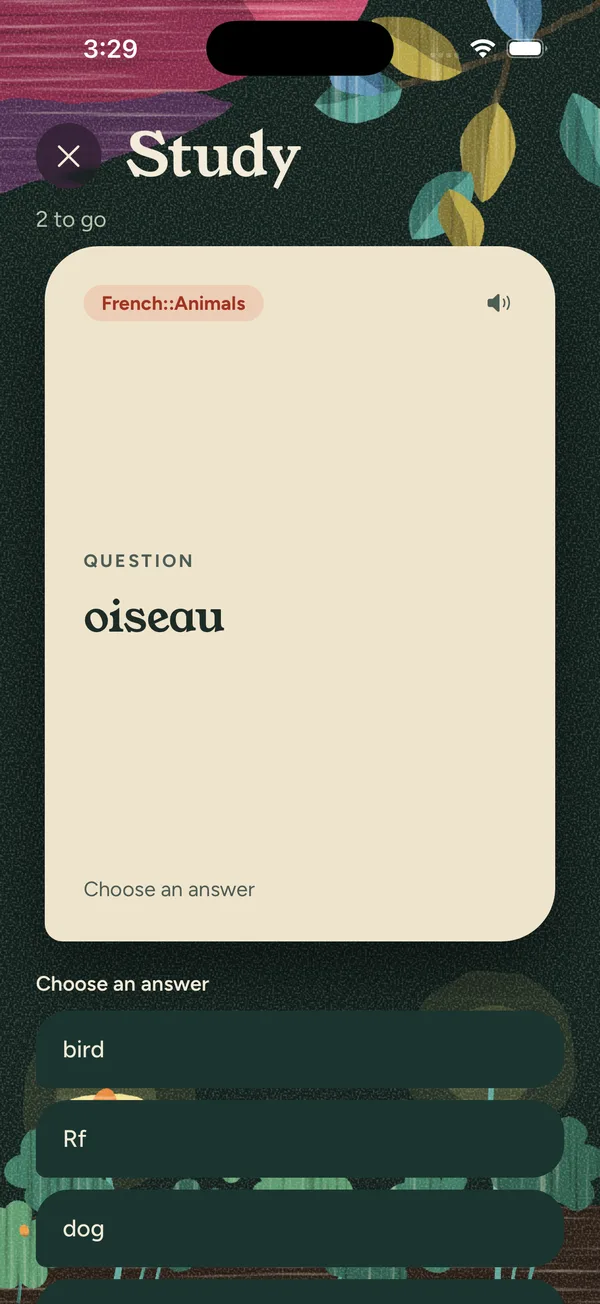
Grow supports all the strategies you need to learn.
Read the question, flip the card, rate yourself.
Pick the answer out of four. The wrong options come from the same deck and look genuinely similar, so you have to know it.
Type it from memory. Accents count, and small slips are flagged for you to judge.
Hear cards read aloud in any language your phone has a voice for, set separately for the question and answer of each deck.
Grow schedules cards with SM-2, the time-tested algorithm behind decades of flashcard study, with sensible defaults and full scheduling options in Settings. New cards are spread through each session instead of piling up at the start, and daily limits keep reviews manageable.
Your decks, your way. Nest decks inside decks, as deep as you like. Give each one its own colour and mark. Suspend a card without losing its history.
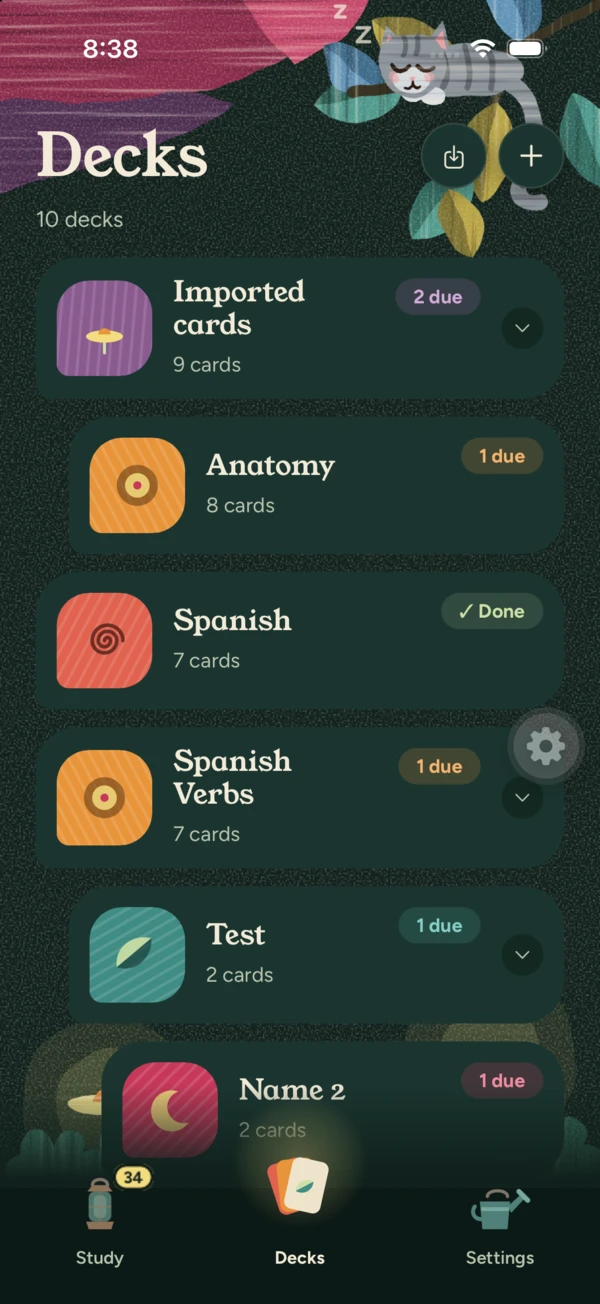
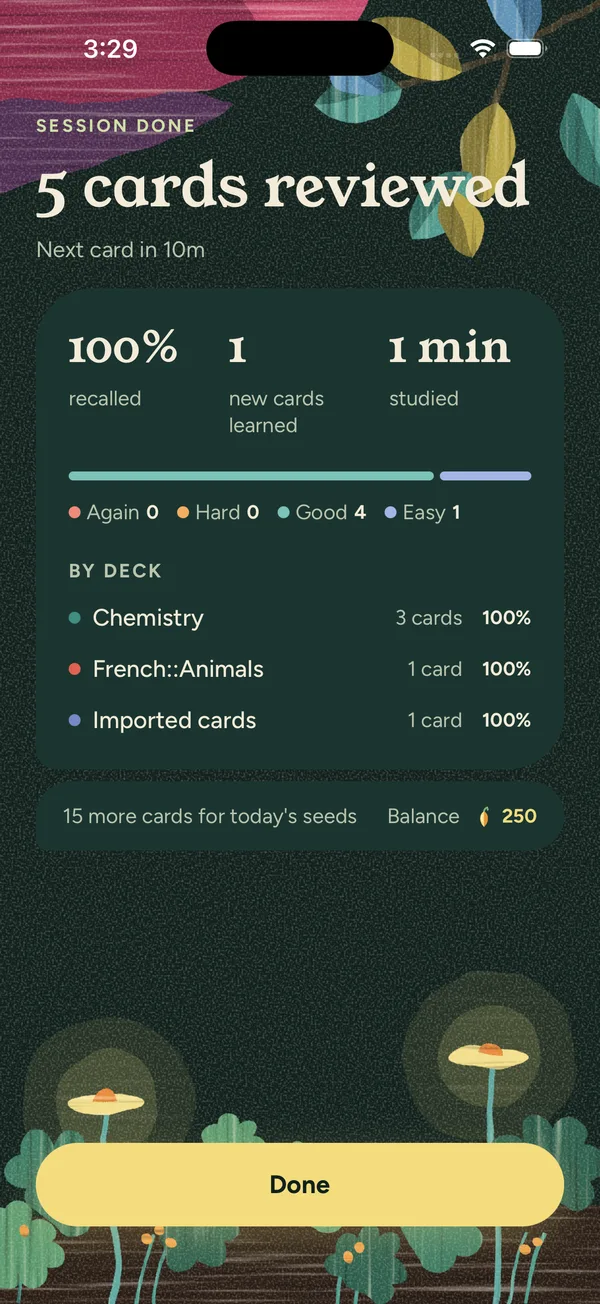
How much you recalled, new cards learned, minutes studied, and a breakdown by deck.
A weekly view and streak on the home screen show your rhythm without nagging.
Answer 20 cards in a day and you earn seeds.
Spend them on painted backgrounds, colour schemes, app icons, deck marks and a sleeping cat in five coats. Seeds never affect your learning.











Small touches that make a daily habit easier.
Nest decks inside decks, each with its own colour and mark.
See what's due today at a glance, in small and medium sizes.
An optional daily reminder at the time you choose.
VoiceOver support and Reduce Motion respected throughout.
The same garden, the same cards, in a window on your Mac or PC. Free, and ready to download today.
Apple Silicon — M1 and later
Download the dmg about 150 MB
Intel
Download the dmg about 160 MB
64-bit
Download the installer about 140 MB
On its way to the App Store. Until then it runs in Safari, and syncs with everything else.
Always the latest release. Not sure which Mac you have? Open the Apple menu, choose About This Mac, and look at the chip: anything named M1 or later is Apple Silicon.
On macOS, the app is signed and notarised by Apple, but the disk image it travels in is not, so macOS may say it cannot verify the dmg. Control-click the file and choose Open. Once Grow is in your Applications folder it opens like anything else.
On Windows, the installer is not signed yet, so SmartScreen will likely warn you. Choose More info, then Run anyway. A certificate is on the list of things to fix.