Flip. Recall. Rate.
Open the app, see what's due, press Start. Flip a card, think, then rate yourself Again, Hard, Good or Easy.
Each button shows exactly when you'll see the card next, so you always know what your answer means.
Calm, steady learning by lamplight
Learn something, then keep it. Grow brings each thing you're learning back right before you'd forget it. Read it back, pick it out, type it from memory or hear it aloud.
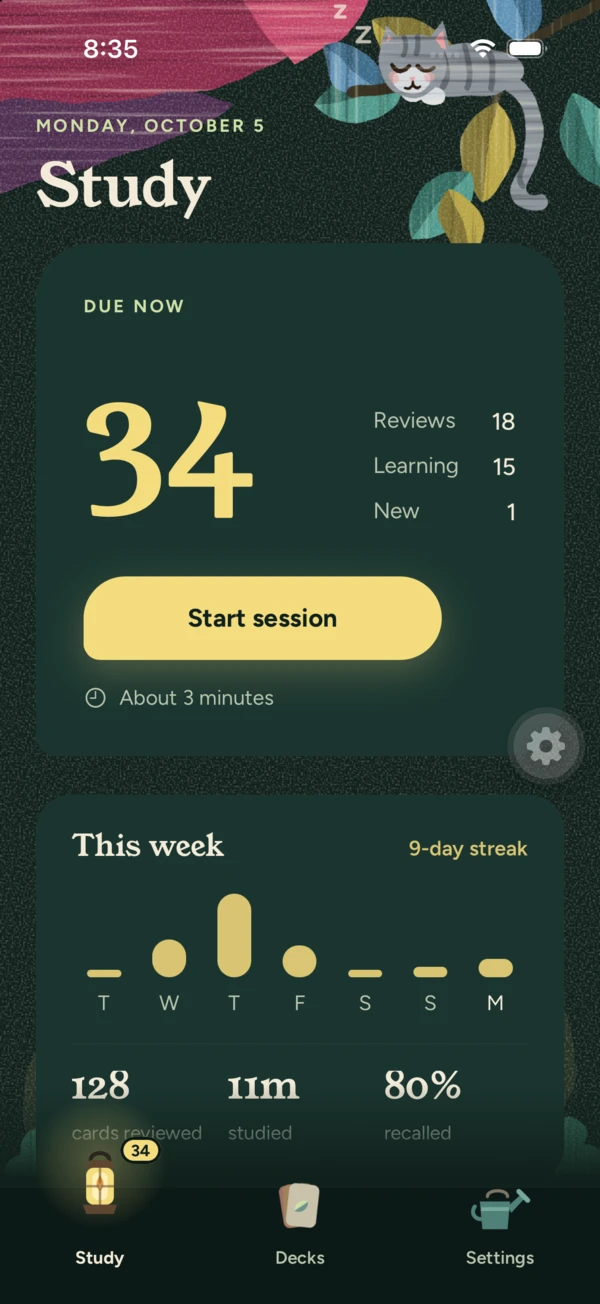
Grow is a learning app for people who show up every day. It brings each thing you're learning back right before you'd forget it, asks for it the way you've earned, and keeps you company in a quiet, painted garden at night.
Open the app, see what's due, press Start. Flip a card, think, then rate yourself Again, Hard, Good or Easy.
Each button shows exactly when you'll see the card next, so you always know what your answer means.
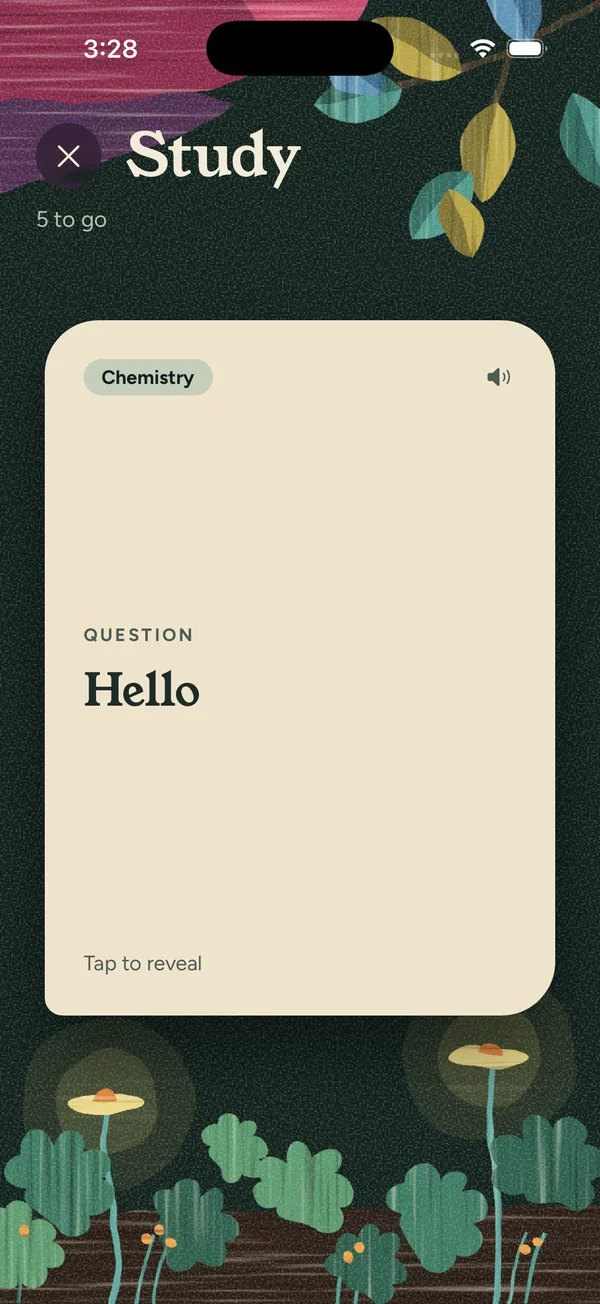
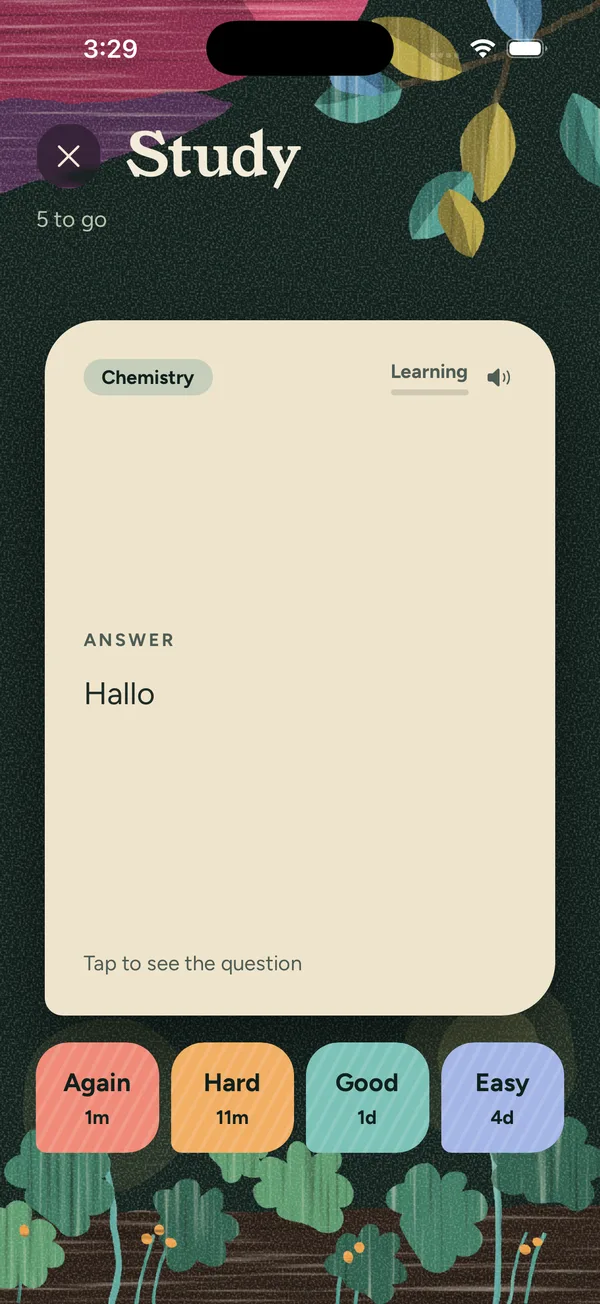
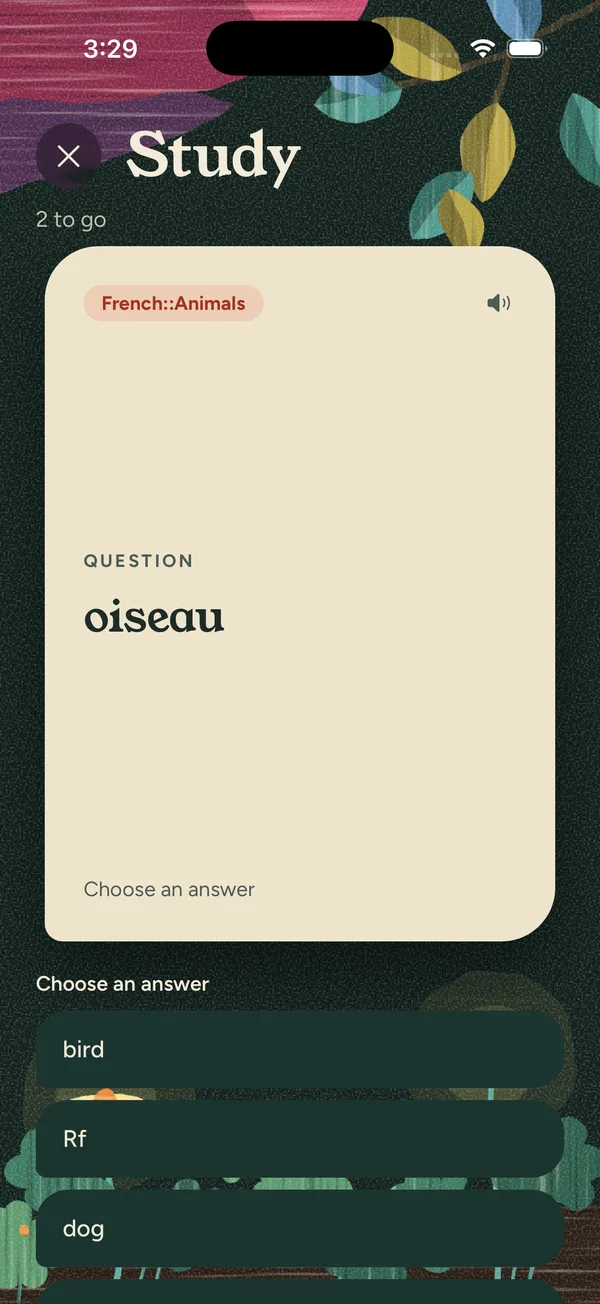
Grow supports all the strategies you need to learn.
Read the question, flip the card, rate yourself.
Pick the answer out of four. The wrong options come from the same deck and look genuinely similar, so you have to know it.
Type it from memory. Accents count, and small slips are flagged for you to judge.
Hear cards read aloud in any language your phone has a voice for, set separately for the question and answer of each deck.
Sage is the owl in the corner of your session. Ask for a hint while the card is still face down, and an explanation once you have turned it over.
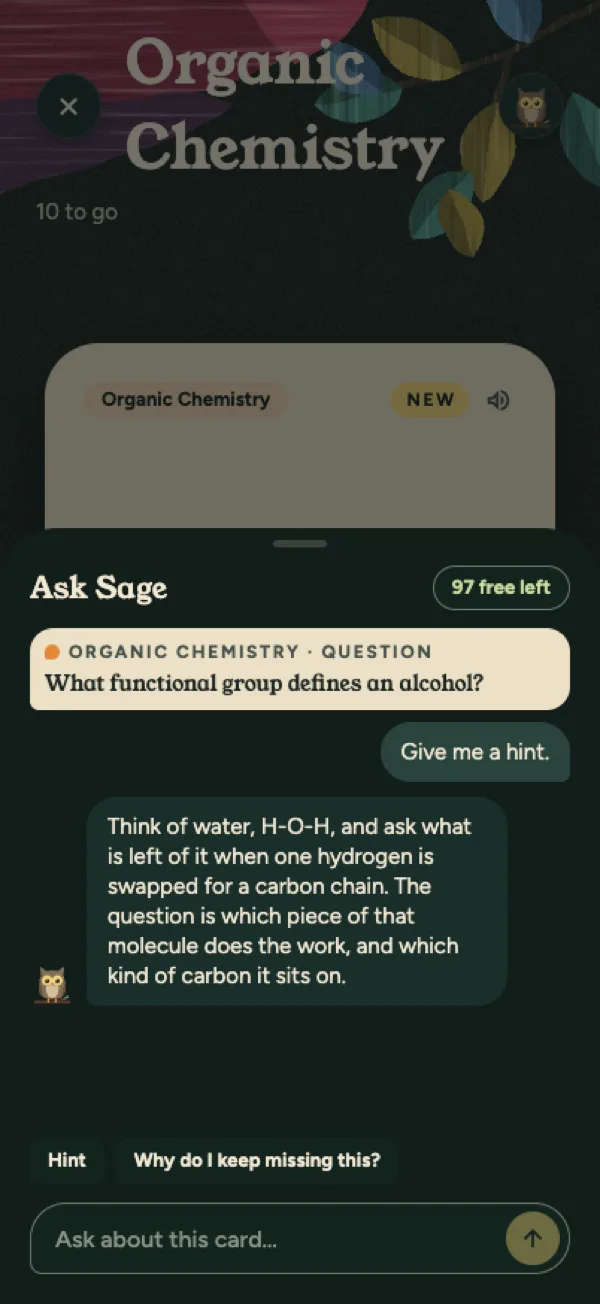
Ask for a nudge before you flip. Sage is asked to hold the answer back until you turn the card over, so getting help does not spend the recall.
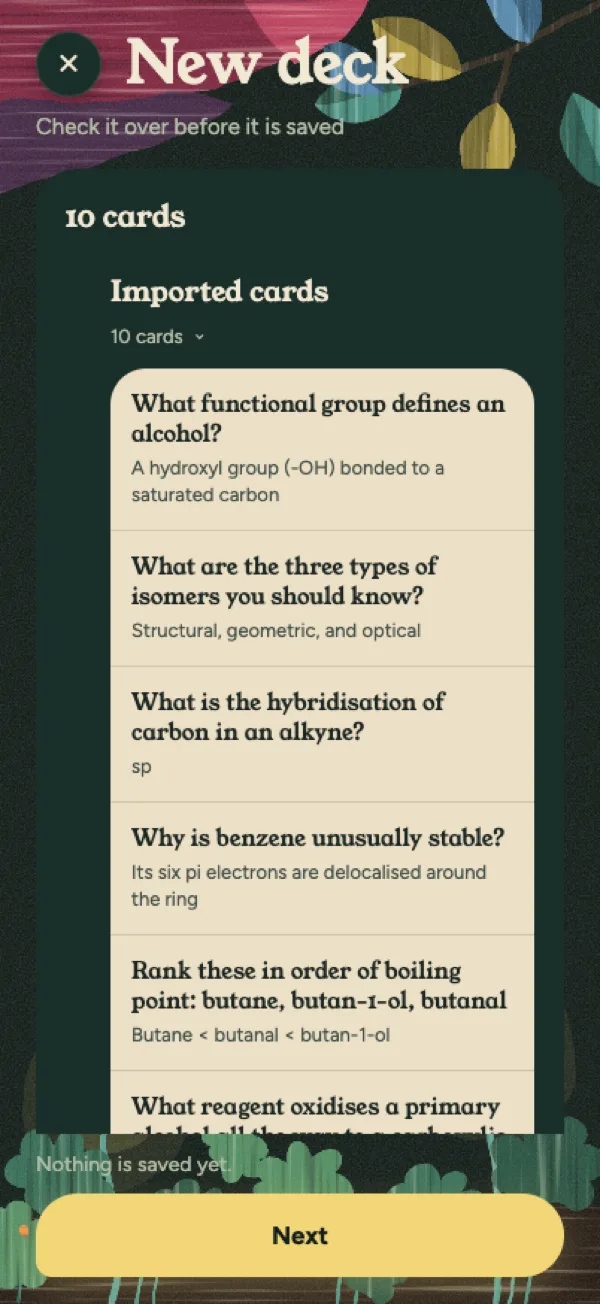
Paste what you are studying and Sage writes the cards. You pick which ones stay, and nothing is saved until you add them.
Ask how your week went. Sage reads back how much you recalled deck by deck, and can start a short session on just the cards you keep missing.
When something comes up mid-session that deserves a card of its own, ask Sage to write it into the deck you are in.
Free to try, and more with Sage Plus. Studying, decks and syncing are always free. Sage is the one part of Grow that needs an account and a connection, because no model small enough to answer runs on your phone.
Grow schedules cards with SM-2, the time-tested algorithm behind decades of flashcard study, with sensible defaults and full scheduling options in Settings. New cards are spread through each session instead of piling up at the start, and daily limits keep reviews manageable.
Hand over an Anki package or a spreadsheet, or paste a list from anywhere. Importing is free, needs no account, and works on every platform Grow runs on.
Your decks, your way. Nest decks inside decks, as deep as you like. Give each one its own colour and mark. Suspend a card without losing its history.
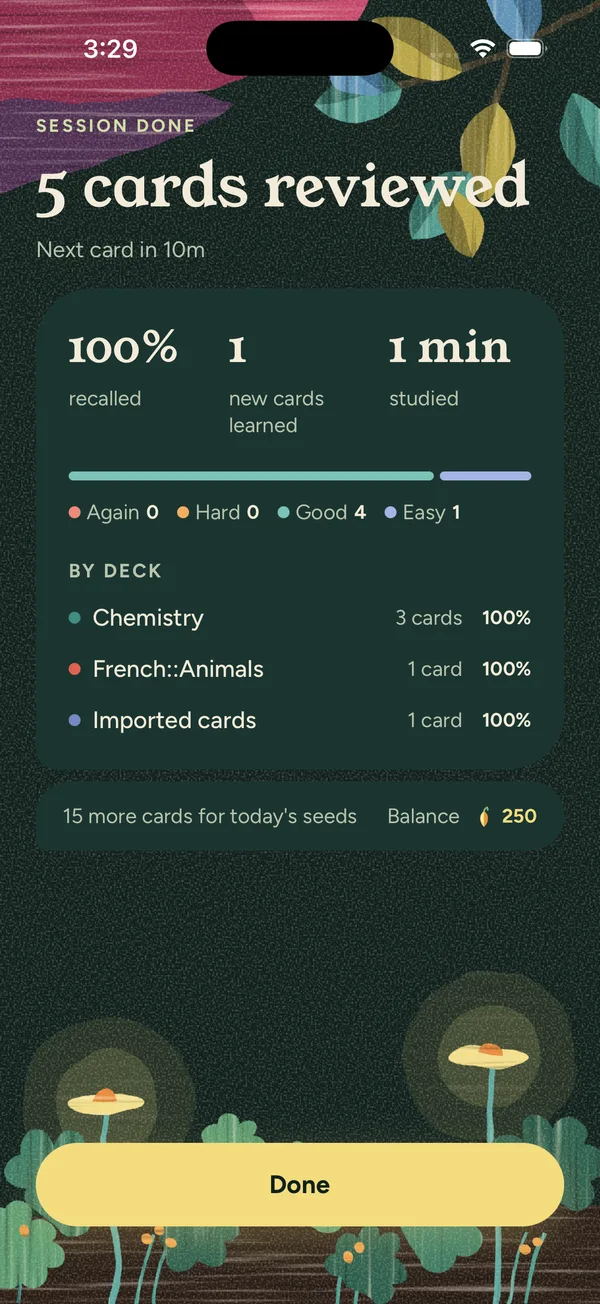
How much you recalled, new cards learned, minutes studied, and a breakdown by deck.
A weekly view and streak on the home screen show your rhythm without nagging.
Answer 20 cards in a day and you earn seeds.
Spend them on painted backgrounds, colour schemes, app icons, deck marks and a sleeping cat in five coats. Seeds never affect your learning.











Small touches that make a daily habit easier.
Nest decks inside decks, each with its own colour and mark.
See what's due today at a glance, in small and medium sizes.
An optional daily reminder at the time you choose.
VoiceOver support and Reduce Motion respected throughout.
I'm Mike, and I make Grow. Give me 20 minutes on a video call about how you study. I'll send you a $10 gift card for a pumpkin spice latte.
Two minutes, no sign-up. Just how you study and how to reach you.
A 20-minute video call: what works, what's annoying, what you wish Grow did.
A $10 gift card by email, the same day we talk.

One per person while spots last. Answering the questions isn't a booking: I'll email you to set up a time if it's a good fit, and the gift card is for doing the call. You don't need to use Grow every day or say nice things. Honest is better. Pumpkin Spice Latte is a trademark of its owner; we just like the drink.
Free on the App Store for iPhone, and in a window on your Mac or PC. The same garden, the same cards, wherever you study.
iOS 16.4 or later
Download on the App Store free
Also on desktop
Apple Silicon, M1 and later
Download the dmg about 150 MB
Intel
Download the dmg about 160 MB
64-bit
Download the installer about 140 MB
The desktop builds are always the latest release. Not sure which Mac you have? Open the Apple menu, choose About This Mac, and look at the chip: anything named M1 or later is Apple Silicon. On Android, or anywhere else, Grow runs in the browser at app.growalittleeveryday.com.
On macOS, the app is signed and notarised by Apple, but the disk image it travels in is not, so macOS may say it cannot verify the dmg. Control-click the file and choose Open. Once Grow is in your Applications folder it opens like anything else.
On Windows, the installer is not signed yet, so SmartScreen will likely warn you. Choose More info, then Run anyway. A certificate is on the list of things to fix.

Grow is free on the App Store for iPhone, and ready for macOS and Windows today.